Chiropractor Pro — Complete Clinic System
A chiropractic clinic runs on booked appointments and finished care plans. This system chases both.
- 26 workflows in folders, all Draft
- 13-page website and new-patient funnel
- 4 calendars and 3 pipelines
- AI receptionist + 20-question knowledge base
- Setup Wizard, buyer guide and intake sheet
- Owner KPI dashboard and blog posts
One-time purchase · protected import link · buyer guide included
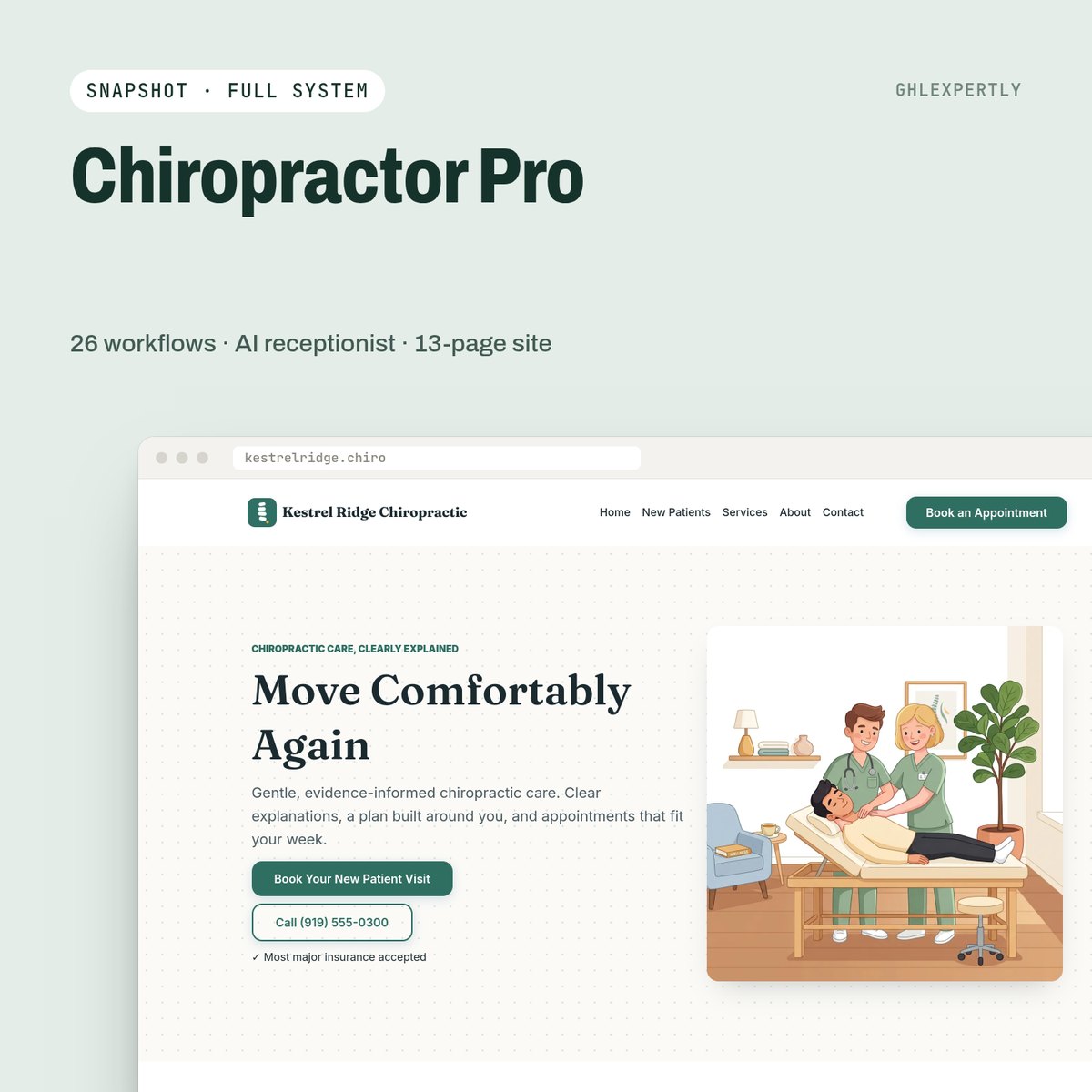
Built for: Solo and multi-practitioner chiropractic clinics, and the agencies that serve them.
The parts that earn their place
New-patient offer funnel
A dedicated offer page with its own form, wired to speed-to-lead follow-up within a minute of submission.
Care-plan tracker
Visits used against visits bought, milestone messages and an alert when a patient goes quiet mid-plan.
AI receptionist
Answers the twenty questions a clinic gets all day — hours, insurance, what a first visit involves — from a knowledge base, with clinical claims ruled out.
Dormant patient campaign
Three touches for patients who stopped coming, with reply routing so a "yes" reaches the desk and not a sequence.
Compliant review requests
Everyone is asked; low scores alert the owner instead of being filtered out. No review gating.
Owner KPI dashboard
New patients, booked, held, no-show, care plans active, at-risk and source mix on one screen.
Live in about 45 minutes
A2P approval and DNS propagation run on their own clocks and are not included in that figure.
- 01
Import into a fresh sub-account
The load cannot be undone, so it goes into a new or throwaway account. Country and timezone first — every wait step is calculated against them.
- 02
Run the Setup Wizard
One internal form writes every custom value, then the wizard workflow goes back to Draft.
- 03
Connect number, domain and calendars
A2P registration, sending domain, your website domain, your team on the calendars.
- 04
Publish the workflows
Test with your own number and inbox first, then publish all of them at once.
Take Chiropractor Pro as it is, or have it installed.
Buy it on the store and run the wizard yourself, or hand the whole import, branding and go-live to the team that built it.